
Welcome to the second part of my how to build a file server series. In the first part (which can be found here) we looked at hardware and choices to be made, in this part we go over how to put it all together.
This is not going to be a general how to about installing motherboards in to cases, I will be focusing on installing the equipment that I decided on in part one.
Modifications & Hacks
 Like all good hardware it never is exactly how you want it, so we have to start with the necessary mods.
The hard drives in my file server will be housed inside Icy Dock’s multi-bay Sata enclosures, MB453SPF and MB455SPF. Installing the drives on to the frames is very easy, all you need is a Philips screwdriver.
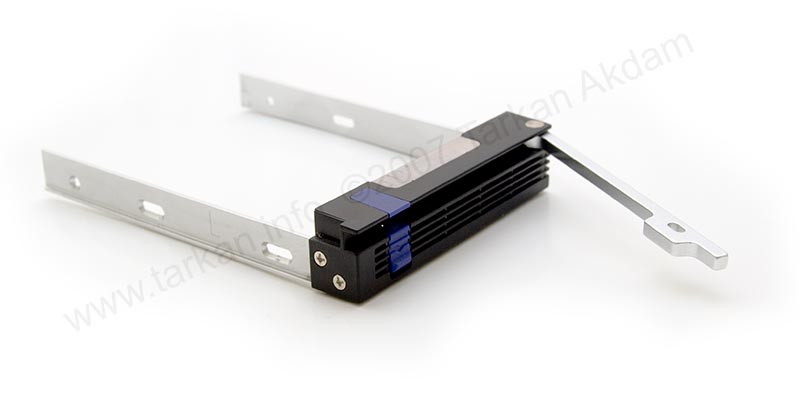 As you will see the rear of the enclosure has a rather large 80mm fan which pulls cool air over the installed hard drives – Great, but hang-on I see a problem. As the server will be sitting in my study with human inhabitants – dust is going to be created, which will be sucked in to my new file server and cause all sorts of problems in a short space of time.
 Solution is quite simple filter the air going in to the server casing, thankfully the front grills on the Sharkoon case have nice foam inserts which will stop most of the dust. However the Icy Dock frames have huge cooling holes in the front panel which will make the perfect hoover for low flying dust.
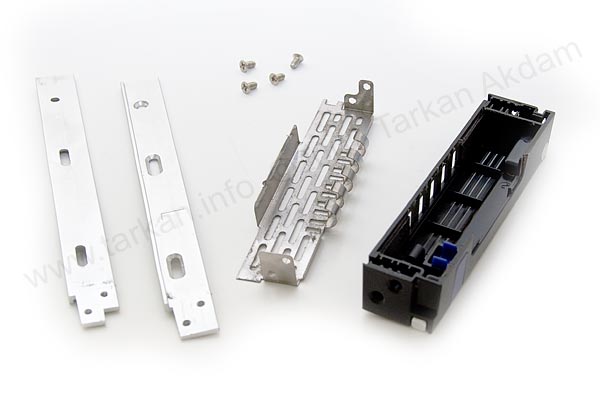
My solution is to install filters in to the cooling holes at the front of the Icy Docks enclosures, the holes are on the front of the drive trays. The filters in my case will be cut pieces of vacuum cleaner air filters I had spare, you could also use cooker hood filters or even just plain old open cell foam – anything that will pass air through a mesh structure.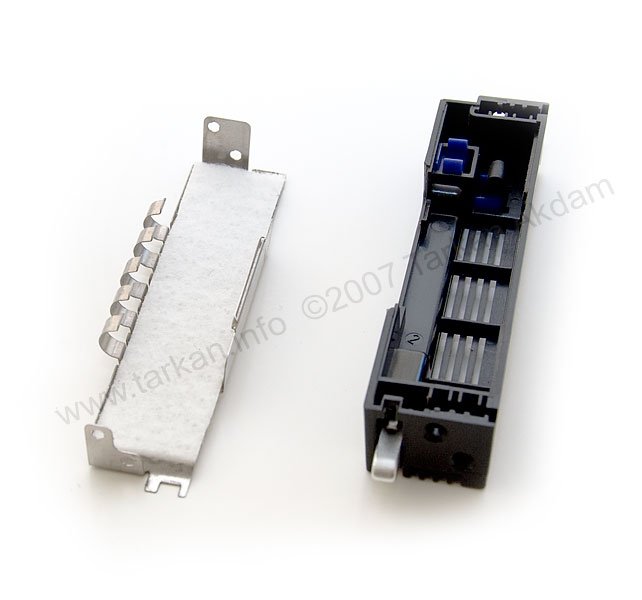
- dismantle the hard drive frames, total 4 Philips screws – detach the front panel from the metal arms.
- clip out the tin grill, you need to push in the grounding fingers at the bottom of the frame. If you have pushed the fingers in too much, just gently pull them back out.
- now cut your filter material to the same size and shape as the tin grill or use the front panel as a template.
- place the filter on the tin grill and carefully clip the grill back on the front panel. making sure that the ground fingers are located in the cut-outs at the bottom of the panel.
- re-assemble the tray by placing the metal arms back on the front panel.
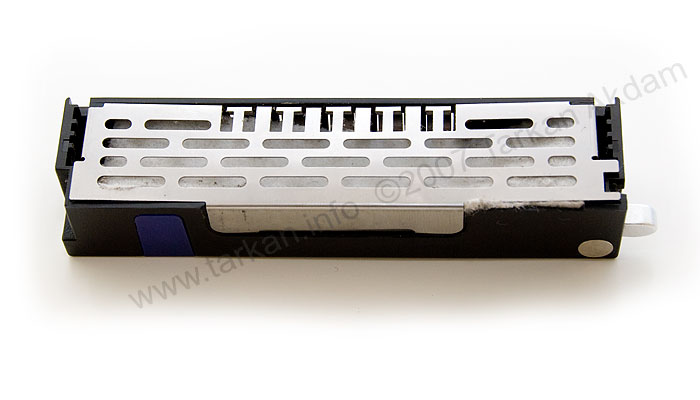
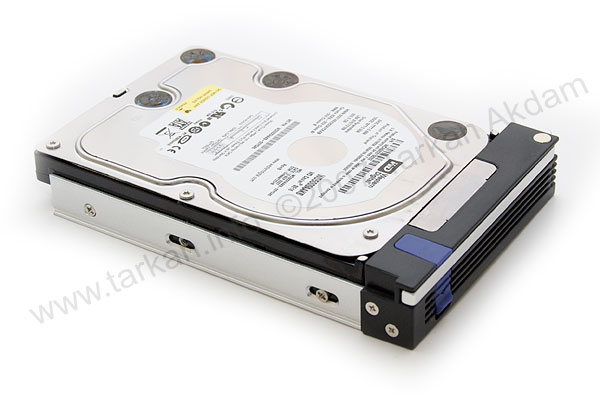
Tip: I found taking the frames apart easier with a hard drive installed. You can click on the pictures for larger versions.
In the next page we will go over the mods needed to get the Sharkoon case ready to install our hardware.
Pingback: bruher.com
Pingback: pligg.com
Hope all is well your end (with baby etc). Do you have any thoughts on when part 3 will be up as I’ve been considering making a home file server but am stuck on what software to use; I’ve no clue when it come to Linux distros and your site has been the only one that mentions the possibility of using a Windows based software. So I’m stuck; lol.
I am still intending to do part 3 – sadly having a baby and refurbishing a house has got in the way!!!
I am also using WS2008 in my file server and it will be included in the next part.
Thanks for reading.
hi, is part 3 still in the works when will it be up?
i plan to use windows server 2008 so plz include it in your next part, thanks.
Hi Mufley,
The third and final part will be up soon, I am still experimenting with the software.
I have been hoping the Windows Home Server would have a fix for the corruption issues and looks like they have entered Beta testing on this issue.
I have been running Windows Server 2008 on my server and it has been working great!!
Hi there…
You mention that the third part will focus on the software side.
Have manage or published the third part?
Excellent stuff these 2 parts … looking forward for you third part…
Mufley
It was actually the drive pooling feature which first attracted me to WHS – I tend to upgrade stuff in my workstations quite frequently, and I really liked the idea of being able to just chuck redundant HDDs into the server as and when they became available, and add them all to a single seamless storage “space”… ironically though, as you say, it seems this is the very feature which is currently causing the data corruption issues so many people are experiencing.
I guess an alternative (and no doubt far better) way to do things would be to install FreeBSD 7 or OpenSolaris and use Sun’s phenomenal ZFS (the “last word in file systems”), but it will mean getting to grips with yet another OS…
I beta tested Windows Home Server, while it is has great features – I think Microsoft really failed by adding a secondary file system on top of the O/S filesystem – hence the issues with data corruption, etc….
Thanks for freenas tip, will look in to it.
Vinyl floor tiles are not very maleable – I would really suggest my tip above – the Lead Roof Flashing, very cheap, and very sticky, easy to cut and easy to apply !!!
I’m thinking of a small server build very similar to yours – in fact, I’d already discovered the Sharkoon case and it was googling for further information which brought me to this site.
Like the poster above, I’m finding the neoprene sheeting a little pricey and difficult to source in small amounts – I wonder if self-adhesive vinyl floor tiles, in one or more layers, would do the job (I’ve got plenty of those kicking around)? I guess it’s really just a case of adding mass to the panels and lowering the resonant frequency to a harmless level.
I don’t need hot-swappability for the HDDs, so I’ll probably use Coolermaster 4-in-3 modules as a cheap alternative to the Icy Docks (available in the UK from Scan).
You mentioned a FreeBSD based OS – I guess you’ve already checked out FreeNAS (www.freenas.org)? Personally I was hoping to use Windows Home Server, as it has a perfect feature set for my needs, but until MS fixes the data corruption bug it’s broken and unusable. 🙁
Thanks for posting the details of your project, it’s fascinating stuff, looking forward to the next instalment…
Thanks for the comment. I have delayed my final part as I am testing out windows server 2008 on my server box.
I was contemplating a FreeBSD or Linux based operating system, but I may just stick with MS based as they do seem to work better with the Vista boxes dotted around the house.
If you’re looking for a robust, cheap O/S for your server – I would suggest NASLite-2 from ServerElements. It has served me very well in my 2.3TB server (in a Yeong-Yang YY-B0221 server cube, 9 x HDD’s and a CF>IDE adapter for the O/S). It is currently linux kernel 2.4.35 based and retails for $29.95.
Thank you so much, that’s much more like it!
Cheers
Dan
All you need to find is rubber sheeting it does not have to be anything fancy.
I purchase my sheeting from RS components and a 1.2m x 2m x 3mm comes to about £20. RS are not cheap so you can probably get this from specialist rubber suppliers for much cheaper.
If all fails I have used Roof (lead) Flashing in the past, which does as good a job and it is very cheap and can be picked up from most DIY shops. Last time I looked 75mm x 3m roll was about £2. one roll will probably be enough for a case.
Ah thanks – I was actually asking about the stuff you stuck to the case. Sorry for not being clear.
The only sound insulation I can find from a UK provider is the AcoustiPack material, which is not cheap.. I also saw some insulation material from frozencpu.com which looked ok..
I used the foam air filters from a vacuum cleaner, you can buy the filters for about £2.00 or so from most electrical outlets. It does not matter what manufacturer as you will have to cut it up to the correct size to fit in to the cages.
What foam did you use for this? I’m looking for an economical solution 🙂